
Saturation to 300%
100 means no change. Go up to 300 for three times the colour, on your whole screen.
FreeFree now. No card. Saturation to 300% and the whole Resolution tab, with an account.
Changes what your monitor shows, never touches the game.
Download: free, no card. Monthly trial: €0 today · €4.99/month after 3 days · card required · cancel anytime · once per account
For Windows 10 and 11.

No. Check the file yourself: we post its SHA-256. VirusTotal: 1/65 (scanned 13 Oct 2026). The flag is a robot's guess, not a known virus. The Trust page explains.
Check the filePlexusX changes what your monitor shows, never touches the game. Nobody can promise what an anti-cheat decides, so check your game's rules.
How it worksYes. Monthly stops with one button in Dashboard → Billing. Lifetime has nothing to cancel.
RefundsSaturation to 300% and the Resolution tab are free with an account, no card. A plan adds the rest: €15.99 once, or €4.99 a month.
See pricingWorks in any game set to Windowed or Borderless in its settings. The scene presets are made for
Drag the line across the picture. Then move the slider up to 300%.
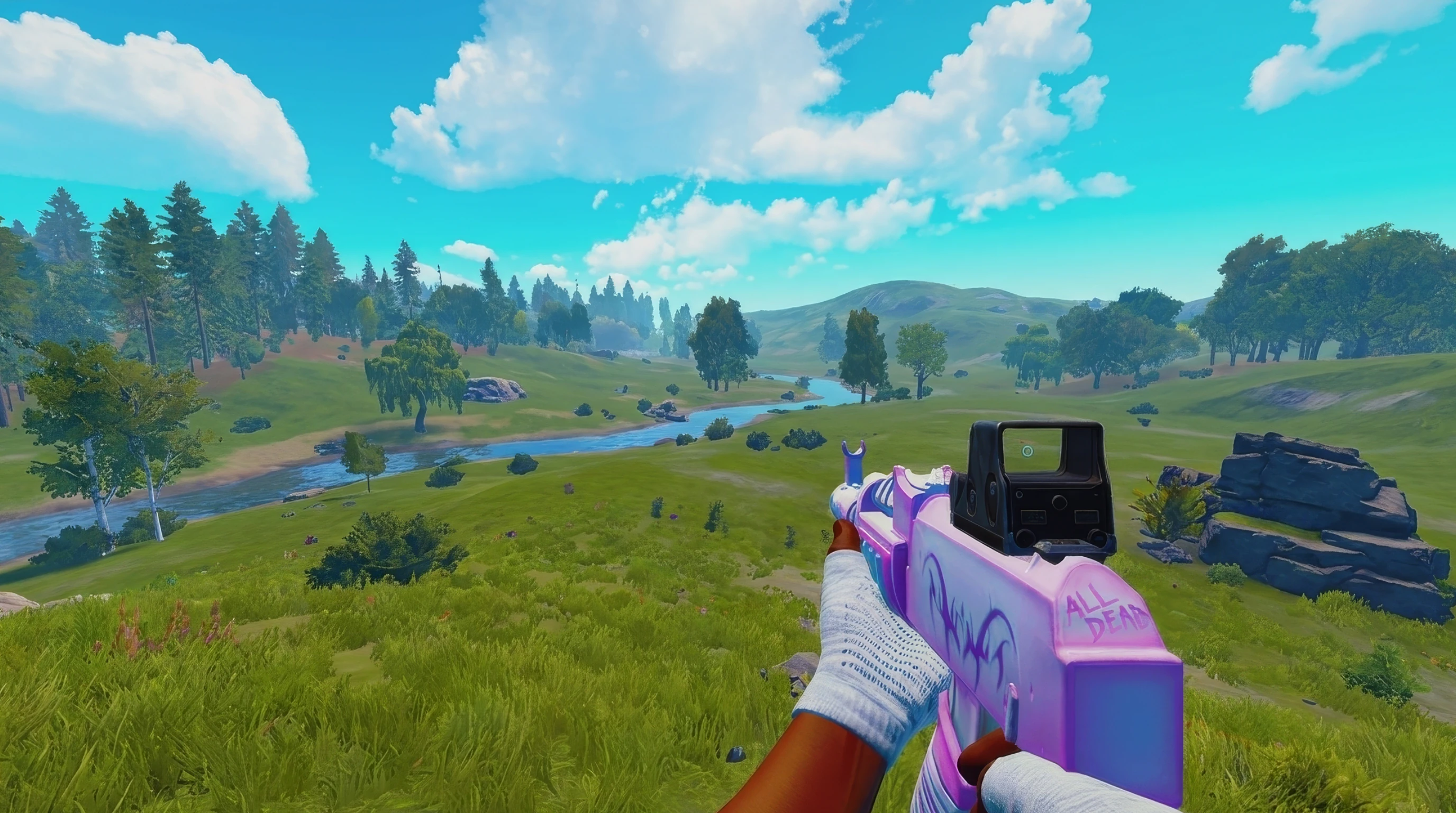
This is rendered in your browser, not a screen capture of PlexusX running.
Two of these are free with an account. The rest need a plan.
100 means no change. Go up to 300 for three times the colour, on your whole screen.
FreeOn NVIDIA, it moves NVIDIA’s own vibrance setting. On AMD and Intel, PlexusX gives you the same slider.
With a planChange your resolution and refresh rate. Turn HDR on or off. Use the stretched 4:3 presets. All in one tab.
FreeA crosshair drawn on top of your screen, not inside the game. It stays off until you turn it on.
With a planSave your colours for each game, and PlexusX switches them for you. There are also presets for treelines, dark rooms, night and snow.
With a planConnect your phone on the same Wi-Fi. Then change your colours without leaving the game.
With a planIn the app, a padlock marks each plan feature. Press one to see what it adds and what it costs.
Every update, dated, in plain words.
A picture crosshair now moves with the Offset sliders, and the app is steadier.
Your licence, settings, profiles and presets stay exactly as they were.
The PlexusX logo in the title bar can no longer bring up an error box over your game.
The music player works with more apps, and a custom size like 1080x1080 now fills the screen.
The person behind the updates above, and where to reach him.

@mata7512
Founder · makes PlexusX
 PlexusX Discord1,091 members · 22 Sep 2026
I always wanted my game to look colourful. Rust was always so dark and meh looking, so I installed VibranceGUI. I tested it and nothing happened.
I thought if this thing doesn’t work for me, it probably doesn’t work for many others either. So I made my own colour app that’s actually about what you like, and you can customise it.
I wanted it to be a real app people use, not a RAT or something you inject into your game.
+rep love being able to see in dark corners and at nighttime best overlay by far for rust
m
+rep really gooood
d
+rep best color tool
a
++rep I love having my game with very vibrant color, I bought the premium to customise how each color looks without being limited by Nvidia, and PlexusX does exactly everything I need❤️
a
+rep best color boost
9
+rep shit is great
y
+rep using for rainbow and it looks hella clean
w
+ rep works like a dream on tarkov
b
+rep this is my homie he put me on SOOOOO much better than any other color grader and uses barely and cpu
c
+rep best color hw by far got me all this goop
s
Saturation and the Resolution tab stay free. A plan unlocks the rest.
€15.99once
Pay once. It never renews, and you get every future update. Dark Boost is sold separately.
3 DAYS FREE
€4.99a month
Card required. Monthly only. Once per account.
€0 today, then €4.99/month. Cancel before day 3 and pay nothing.
€7.99a month
€9.49 bought separately · you save €1.50
One subscription, one payment.
Dark Boost can get you banned
Some games, like Rust, ban players who see in the dark. It mostly happens when another player reports you. PlexusX never touches the game, but the ban risk is yours.
€7.99/month until you cancel, card taken when you buy. Cancel with one button in Dashboard → Billing.
€0no time limit
Saturation to 300% and the Resolution tab. Not a trial: no card, no time limit.
Prices are in euro, with VAT included where it applies. You pay through Stripe. Refunds · Terms
The questions people ask first, answered straight.
No, it is not a virus, and you can check that. Windows will say “unknown publisher”, because the installer is not signed. Some antivirus apps may flag it too, as a guess from how the file looks. We post the installer’s SHA-256 next to the download. It works like a fingerprint for the file. Look that exact file up on VirusTotal and read the report yourself. Check the file
No, it is not a cheat. PlexusX changes the colour your monitor shows, after the game has drawn the picture. It does not read game memory, change game files or put code into any game. What an anti-cheat allows is up to the game’s makers. So we tell you exactly what runs, and you check it against the rules you play by. How PlexusX works
Yes, on NVIDIA, AMD and Intel. On NVIDIA, the vibrance slider moves NVIDIA’s own vibrance setting. On AMD and Intel, PlexusX does the job itself, and the slider still goes all the way.
Saturation to 300% and the whole Resolution tab are free. You just need an account, no card. A plan adds digital vibrance, fine tune, the looks, per-game switching, the crosshair, phone control and the Library. A plan is €15.99 once, or €4.99 a month.
Everything you paid for. Lifetime stays yours for good, with every future update. A monthly plan keeps every paid feature for as long as it runs. The free tier was added for new people and takes nothing away from you.
Yes. Monthly stops with one button, in Dashboard → Billing. No email to write, nobody to talk to. You keep your plan until the time you paid for runs out. Lifetime has nothing to cancel: you pay once.
Lifetime: EU and UK buyers have 14 days to change their mind, until the licence is activated. Monthly: your plan starts the moment you subscribe, and that ends the 14-day right to change your mind. If you cancel, you are not charged again, and you keep access until the time you paid for runs out. The full terms are on the Refunds page. Refunds
On the Presets page. Every look and crosshair there has a code. Press Use in app to open one in PlexusX, or copy its code. Using a code needs a plan. See the presets
More answers:How PlexusX worksDigital vibrance on AMD and IntelHDR looks washed out on WindowsYour colours are missing from recordings and clips
With an account, no card. Upgrade when you want the rest.